Prayer reminders
Prayer reminders: check your times, alerts and phone settings
Set up prayer-time reminders by checking your location, calculation settings and notification permissions. A clear starting point when an alert is missing.
Begin with the timetable
Before adjusting a reminder, check the timetable it follows. In MishMish, review your saved location and prayer calculation settings, then compare the displayed times with the local timetable you rely on. If you are unsure which settings to choose, ask your mosque or a trusted local source.
When you travel or change your usual location, review these settings again. A reminder is only useful if it refers to the place and timetable you intend to follow. Do not assume that a familiar place name means your settings are still right.
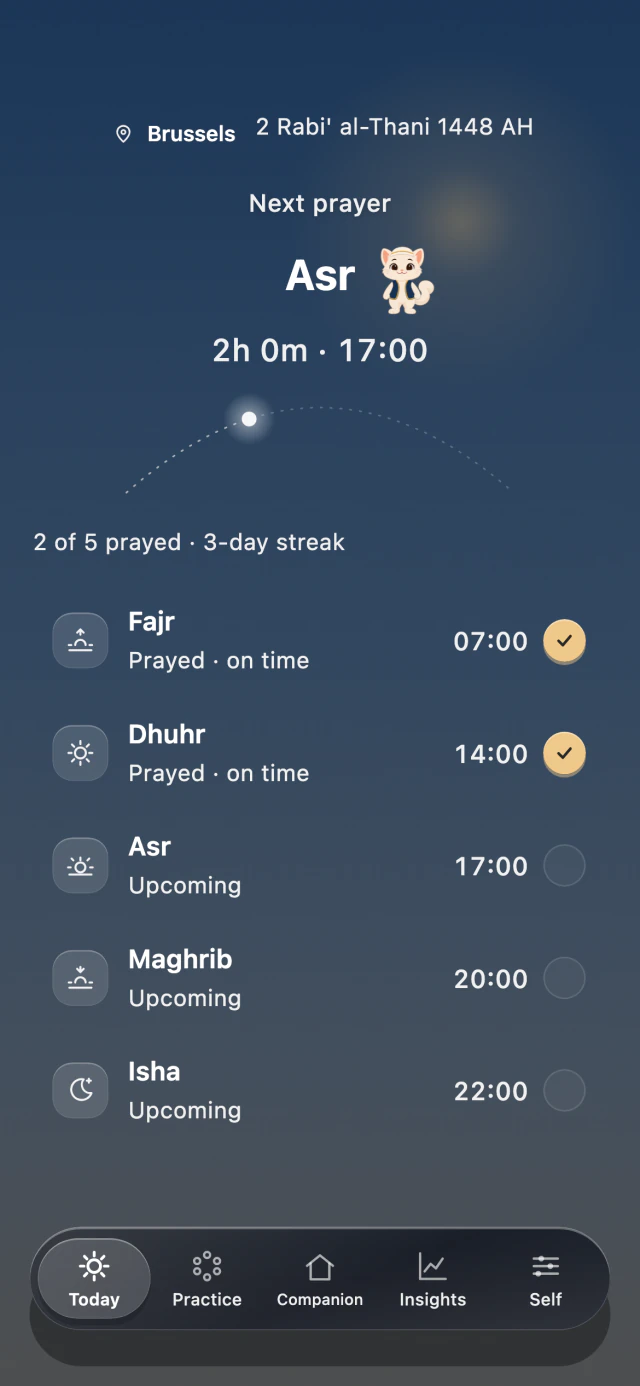
Check the prayer timetable before adjusting alerts. These example times are not a timetable for your location.
App previews · example times and records · 7 October 2026
Choose what the alert is for
A reminder before the adhan gives you time to prepare. An at-prayer alert tells you that the app’s calculated prayer time has arrived. MishMish lets you choose these separately, so decide what each one would help you do.
For example, a preparation reminder may be useful when you need to finish a task and put things aside. If it only interrupts you without helping, adjust its lead time or turn that reminder off. Start with the alerts you expect to use.
Check the phone as well as the app
On iPhone, open Settings, then Notifications and MishMish to check alerts and sound. On Android, look for Notifications and App notifications; names vary by device. Check whether notifications are allowed or silent, then review any mode you use to limit interruptions. The Apple and Android guides linked below explain the device controls.
Use the Test notification action in MishMish’s reminder settings to try the notification path on your phone. Notice whether the alert appears and whether you hear it. One successful test does not establish that every later scheduled alert will arrive or sound.
Keep prayer alerts separate from practice reminders
A prayer-time alert follows your saved prayer timetable. A personal-practice reminder is attached to an activity you created, such as reading. They serve different purposes. In MishMish, a fixed-time personal-practice reminder is free; linking that practice reminder to a prayer time is an optional Pro feature.
If you get more alerts than you expected, check which kind you enabled before turning everything off. For example, an alert at Asr and a reminder for your reading practice after Asr may both be doing exactly what you selected.
Return to the settings when life changes
Revisit your choices after travel, a timetable change or a change to your phone’s notification settings. If something is wrong, first check location and calculation, then permissions and sound. This gives you a clear starting point without changing several unrelated settings at once.